

In the current business environment, companies need to make decisions and take action in a short period and in the most efficient way possible. Here is where your ERP system should inform your users about important tasks that should be done, help them check the information, and give them the possibility to take any action when required.
This is resolved with the JD Edwards UX One feature included in the 9.2 version, providing a more configurable and intuitive interface system with no development needed, increasing the efficiency and effectiveness of user productivity on day-to-day tasks.
Below, UX One components will give the user the ability to personalize and configure JD Edwards applications:
- UX One Pages: Based on the paradigm Alert, Analyze, Act, the system provides information on one screen about relevant data that would require an action:
- Alert: Watchlists notify the user about any situation that may require their attention or intervention, allowing them to define what type of information or events they would need to receive notifications.
- Analyze: One View Reporting allows the user to generate customized reports according to their needs, giving the possibility to analyze the data more simply and visually.
- Act: The Springboard is a configurable menu through which the user can easily access those applications where they perform their daily tasks.
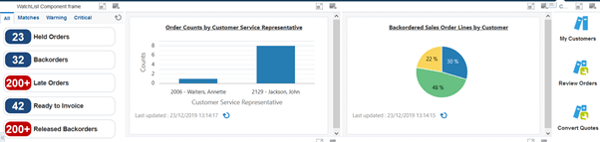
Additionally, the UX One pages include a set of role-based solutions, providing different analytical solutions for each role in your company.
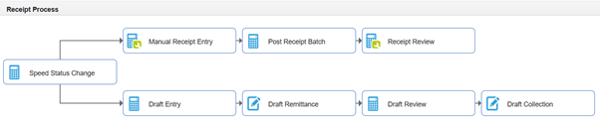
- E1 Pages in JDE: multiple applications can be defined in a main screen, following the flow of the process the user performs:
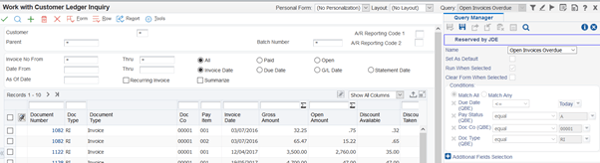
- Query: in a specific application, a set of filters can be predefined, so the user can visualize specific information according to predefined needs.
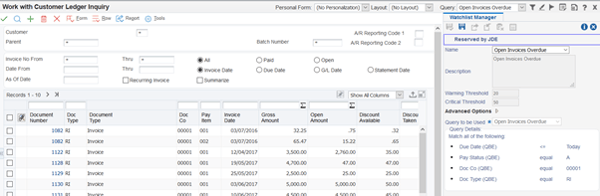
- Watchlist: with this tool, users can receive notifications about relevant events that are occurring in the system.
- Personal Forms: multiple changes can be applied to EnterpriseOne programs without customizing the applications:
- Rename fields
- Hide, resize, and reposition fields and controls
- Ability to move controls using arrow keys for further refining the alignment
- Ability to rename tab pages and group
- Ability to edit the tab sequence
- Cut and paste controls from one tab page to another
- Ability to mark a field as required
- Personalization of Menu Exits
- Use the personalize exits link to personalize the Form, Row, and Report exits
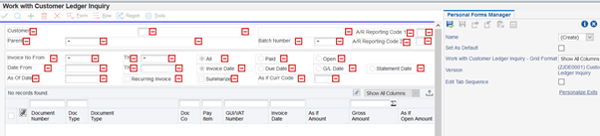
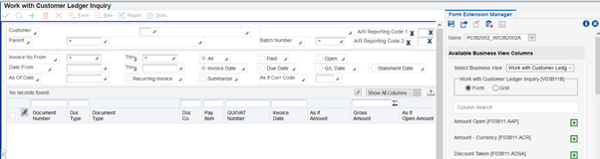
- Form Extensions: With this feature, the user will be able to customize an application by adding additional columns based on their needs.
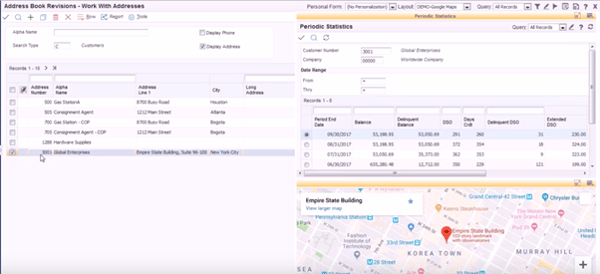
- Cafe One: users will be able to include different applications, web or reports, in one screen, with synchronized data between all of them.
- EnterpriseOne Search: an advanced search through different tables in the system can be defined by the user’s criteria, so there is no need to go into multiple applications.
Watch the completed video here:
If you need a DEMO, reach out to us in the form.